🪣 PaintClub Color Lab 🖌️
Upload a photo and enjoy changing the colors of your home, furniture, and everyday items.
Before you start,
tap the sample photo below.
If it feels easy and intuitive,
try color planning with your own photo.
This simple paint visualizer lets you try colors on your own photo.
\Share this if you find it helpful/
Use your favorite color ideas when discussing plans with your family.
This tool runs in your browser. Your uploaded photo is processed on your own device, so no account registration or app installation is required.
Photos are not saved on this website. Please save your result by taking a screenshot or using the “Save Image” button.
This tool supports most browsers on Android, iOS, and PC. If a button does not work properly, please try using Google Chrome.
💡 Tips for Better Results
-
1. Use a clear photo taken on a bright day
For best results, use a sharp, clear photo taken in good natural light. This helps shadows, texture, and surface details appear more naturally after applying color.
-
2. Zoom in for small details
When coloring around windows, edges, or narrow gaps, zoom in first and then tap or paint carefully. If you use this tool on a PC, you can work with more functions and higher image quality.
-
3. Paint slightly outside the area for faster editing
For quick color planning, it is often faster to apply color broadly first, then remove unwanted areas with the Eraser tool.
-
4. What is the Color Tolerance slider?
Color Tolerance controls how widely similar colors are selected based on the point you tap. A lower setting selects a closer color match, while a higher setting includes a broader range of similar colors.
-
5. What is the Opacity slider?
Opacity controls how much of the original texture, pattern, light, and shadow remains visible after applying color. Lower opacity can help the result look more natural.
Color Ideas Created with This Tool
Before
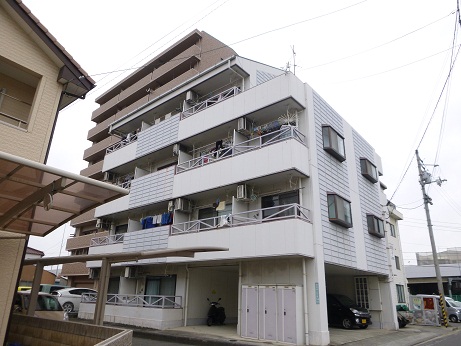

Color Idea 1
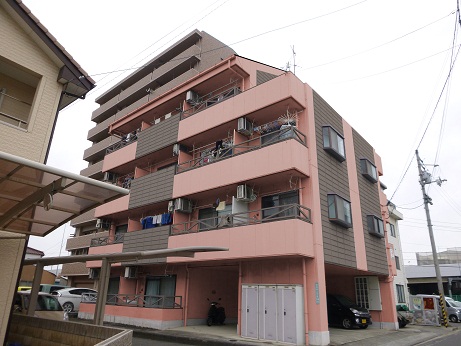


Color Idea 2

Color Idea 3

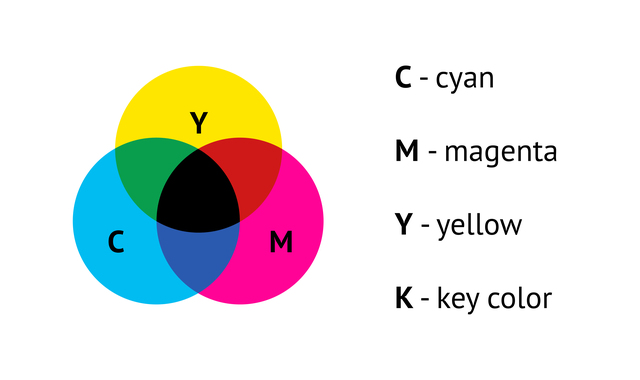
About Screen Colors and Real Paint Colors
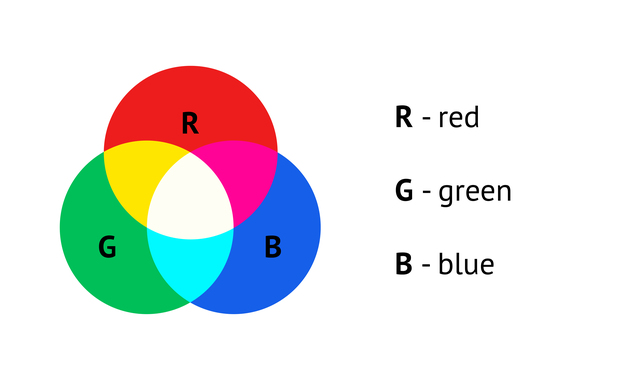
Colors shown on a screen may look different from real paint colors. The appearance can vary depending on your monitor, smartphone, lighting, photo quality, and the actual surface material.
Please use this tool as a visual guide for exploring color ideas, not as an exact paint color sample.
| RGB Screen Colors | CMYK Ink Colors |
 |  |
Thanks for Using This Tool
Every photo, surface, and color idea is different.
Enjoy exploring your own color ideas freely.
ありがとう